Look like the company you are — in every meeting, demo and webinar.

VisionMixer turns a Mac into professional video calls for your business: your logo, name titles and brand colors composited live over cameras and screen shares. Pick “VisionMixer” as the camera in Microsoft Teams, Zoom, Google Meet or Webex, and the meeting sees a branded, produced program — not a plain webcam.

For meetings · product demos · webinars · town halls · sales calls

Microsoft TeamsZoomGoogle Meet WebexSlack+ any app with a camera picker
A produced VisionMixer program: the host on top with three remote cloud-show guests across the bottom of the scene.

Branded video meetings, in three steps

1

Brand your scenes once

Your logo, name titles and colors, arranged into a scene set for meetings, demos and webinars. Design it once — it's ready for every call after that.

2

Present through the virtual camera

In Teams, Zoom, Meet or Webex, pick VisionMixer as the camera — exactly like choosing a webcam. Your produced program is what the meeting sees.

3

Run it live

Switch scenes, fire titles, annotate what you're showing — from hotkeys, a floating panel or your phone — while you keep talking.

Demos that sell

Your product on screen, with you over it

Product demo video calls shouldn't hide the presenter behind a screen share. VisionMixer composites you over the product: multiple cameras, window capture, and presentation tools that work in Microsoft Teams, Zoom or any meeting app — zoom into the feature you're showing, draw on it, spotlight it, live.

  • Window and screen capture with you composited on top
  • Zoom, draw and spotlight the detail that matters, while the call watches
  • AI person segmentation removes your background on any camera — no green screen
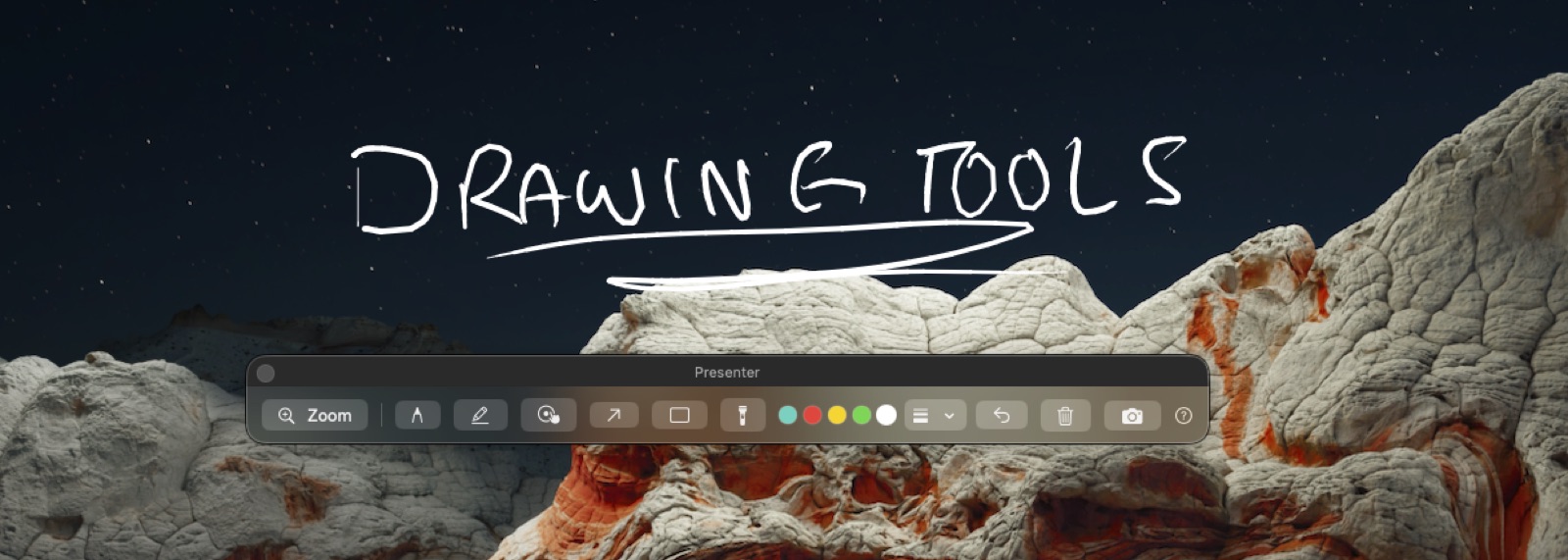
The VisionMixer presenter toolbar with a hand-drawn annotation over a shared screen.

Broadcast audio in the meeting

The call hears your full produced mix

A virtual microphone and speaker install alongside the camera, so the meeting hears everything you produce — not just your laptop mic. Play a product video with its sound, add a music bed under your intro, and balance every source on its own fader. Echo-free by construction, because the mix sent to the call never contains the call itself.

  • Play a product video in the meeting, with its sound
  • Music beds, video clips and mics — each on its own fader
  • Echo-free by construction, no plumbing to configure
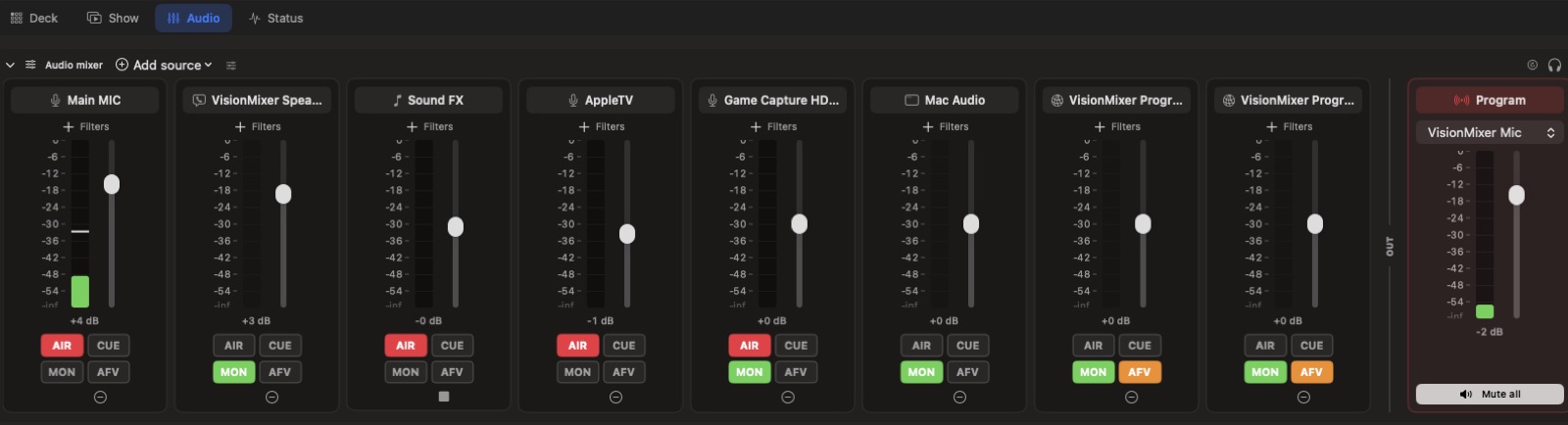
The VisionMixer audio mixer: per-source channel strips with AIR, CUE, MON and AFV routing.

Town halls & webinars

Bring remote presenters into the production

Webinar production on a Mac, with presenters anywhere: bring executives or customers into your program via Cloud Shows (an optional add-on). They join free from any browser with a 6-character code — no account — and it works through corporate firewalls, because connections can fall back to standard HTTPS port 443. For bigger rooms, NDI output feeds your produced program into other AV systems.

  • Remote presenters join free from any browser — a 6-character code, no account
  • Firewall-friendly: connections can fall back to standard HTTPS port 443
  • NDI output feeds the produced program into your other AV systems
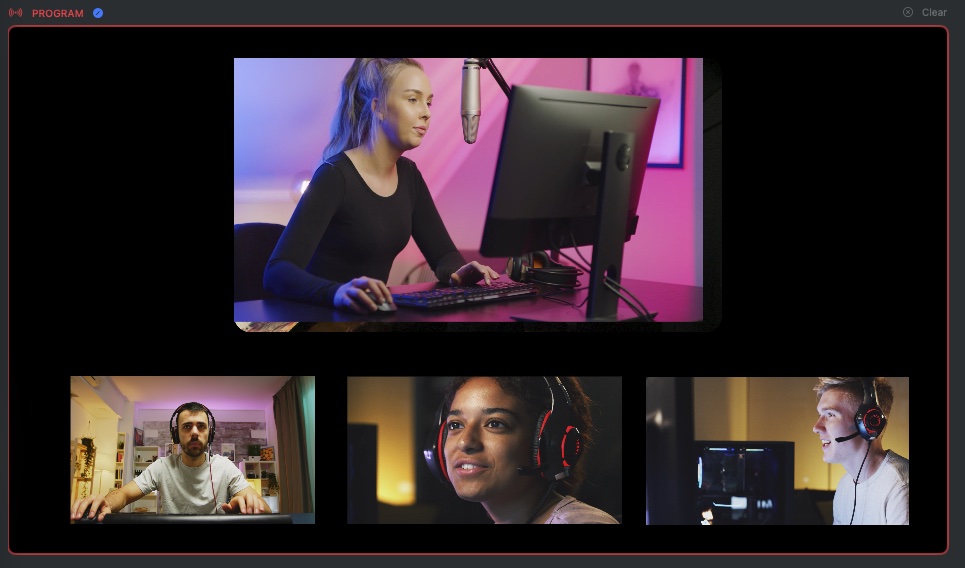
A produced VisionMixer program: the host on top with three remote cloud-show guests across the bottom of the scene.

Made for how you'll use it

Virtual cameraHow the produced program gets into Zoom, Teams, Meet and any Mac app. AI creationGenerate overlays, images, video and sound without leaving the app. The StudioDesign cues, graphics and custom stinger transitions. Teachers & trainersTeach on camera with slides, annotations and lesson recordings.

Business questions, answered

Does it work with Microsoft Teams and Webex on corporate machines?

Yes. VisionMixer appears in the camera picker of any macOS app that lets you choose a camera — Microsoft Teams, Webex, Zoom, Google Meet, in the browser or their desktop apps. The app is notarized by Apple, so it installs and runs like any standard Mac application.

Does everyone in the meeting need VisionMixer?

No — only the presenter runs it. Everyone else joins the meeting exactly as they always do and simply sees a better camera: your branded, produced program instead of a plain webcam.

Can remote presenters behind strict corporate firewalls join?

Yes. Remote presenters join through Cloud Shows from any browser with a 6-character code — no account needed — and it works through corporate firewalls because connections can fall back to standard HTTPS port 443.

Can IT deploy and update it?

VisionMixer is a standard notarized macOS app with built-in auto-updates, so presenters stay current without manual reinstalls.

What does it cost?

$99 one-time per presenter Mac, with a 14-day free trial. Cloud Shows, for bringing remote presenters into the production, is an optional add-on at $15–29/month.

Does it integrate with our existing AV setup?

Yes. VisionMixer has NDI output and input, so your produced program can feed other AV systems on the network — and RTMP streaming sends it to any streaming service.

Your next meeting could carry your brand.

Download VisionMixer and look like the company you are.

Download for macOS