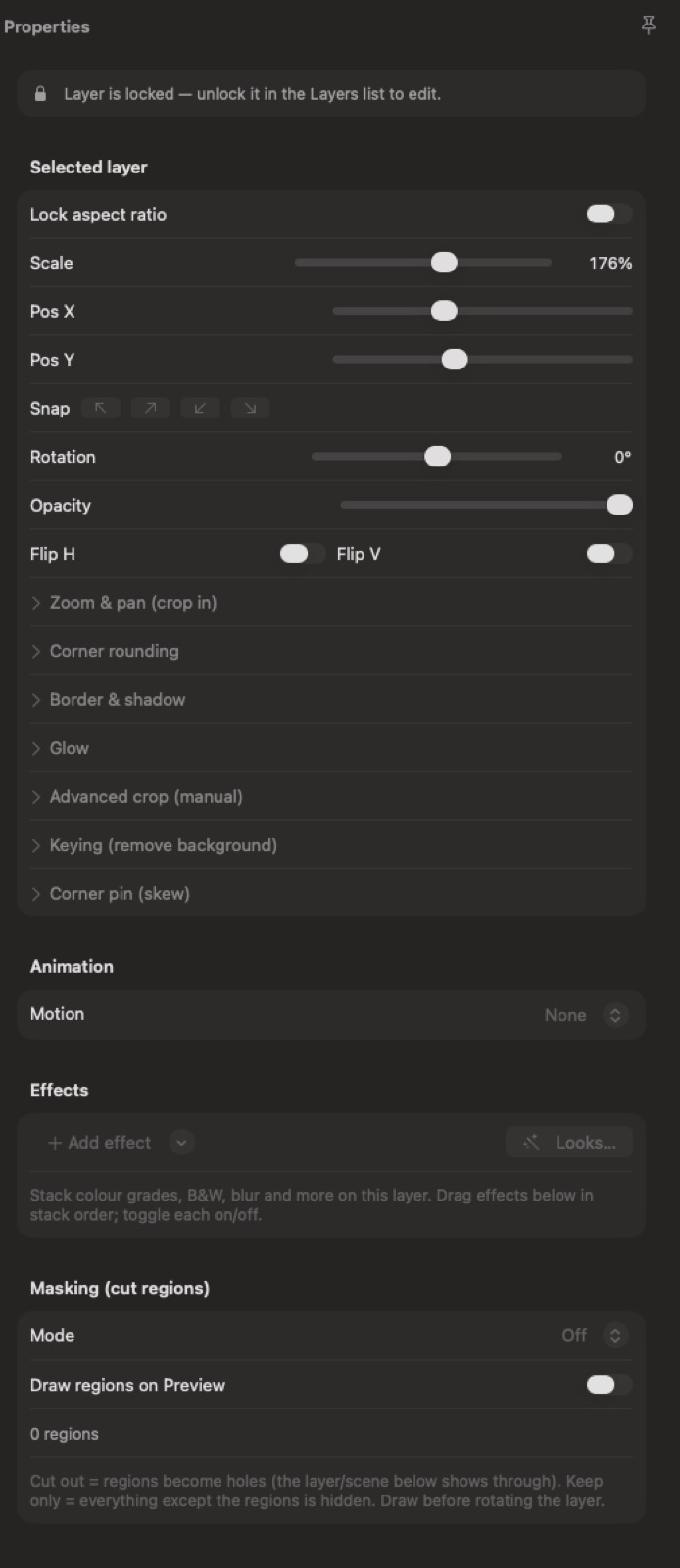
A real stage, not a settings form
Design where you can see what you're doing
Every asset in your library — clips, images, overlays, text, 3D titles — gets prepped on a canvas, not in a sidebar of sliders. Drag and resize, key with chroma or AI person segmentation, then dial in crop, rounded corners, borders, glow and masking until it looks right. Clip trimming is built in. What you stage is exactly what fires. And when the library needs something new, the Studio's Create tab generates overlays, images, video and audio with AI.
- Drag, resize, crop, corner, border, glow and mask — live on the canvas
- Chroma key or AI person segmentation, no green screen required
- Trim clips right where you stage them
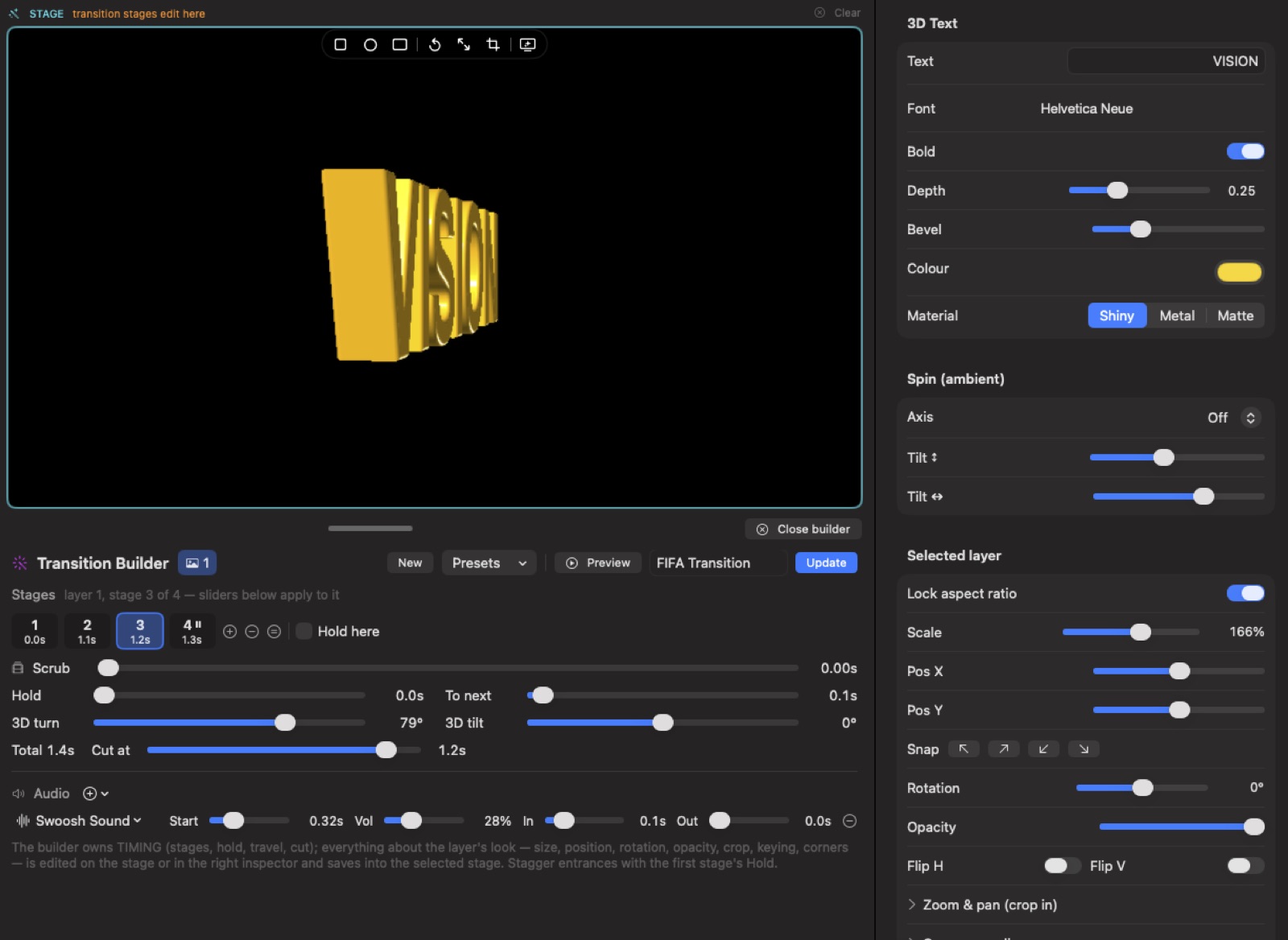
The Transition Builder
Custom stinger transitions, keyframe by keyframe
Build multi-layer stingers on the same stage: each layer moves through keyframed stages — pop in, hold, fly out — while a timeline scrubber shows you exactly where everything is. Add a hold point and a lower third parks on screen until you dismiss it. Give the transition its own sound, with its own timing and fades. Start from a canned preset, or from nothing at all. Then use it as your TAKE transition so every cut wears your look, or fire it straight over program.
- Keyframed stages per layer: pop in, hold, fly out
- Hold points park lower thirds until you dismiss them
- Per-transition sound with its own timing and fades
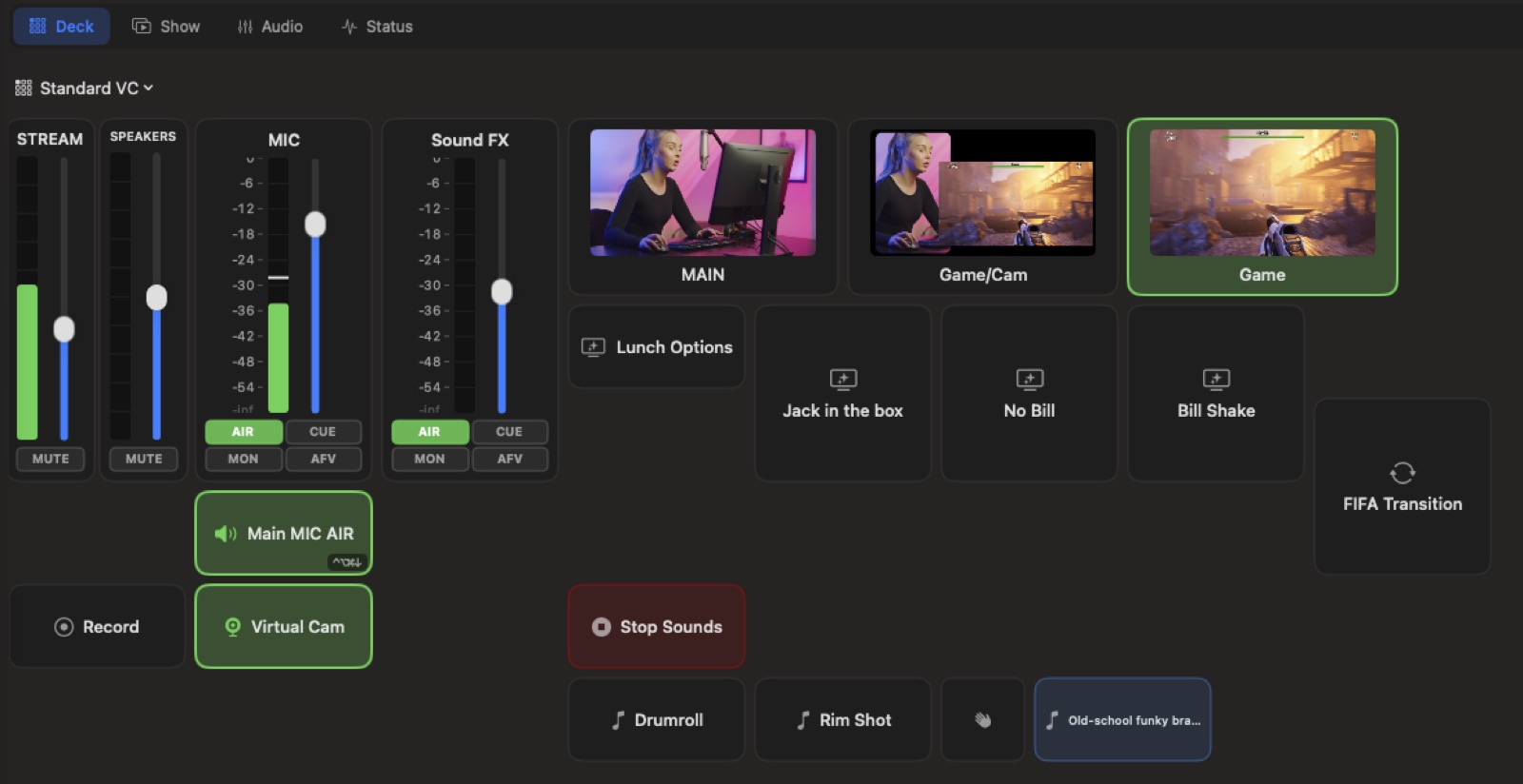
Fire it from anywhere
One deck runs the whole show
The Show Deck is your live show control deck: a tile grid for scenes, cues, sounds, faders and transitions, all in one place. Fire tiles with a click, with global hotkeys, from a floating mini panel that stays out of the way — or from your phone, acting as a wireless remote. Instant-fire broadcast graphics, from whichever surface is closest to your hand.
- Scenes, cues, sounds, faders and transitions in one tile grid
- Global hotkeys and a floating mini panel
- Your phone as a wireless remote