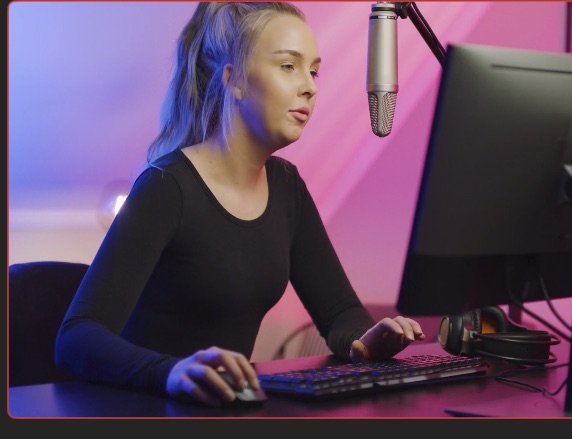
The virtual camera that makes every call look produced.

VisionMixer is a native Mac video mixer with a system virtual camera. Build scenes with multiple cameras, screen shares, titles and overlays — then pick “VisionMixer” as your camera in Zoom, Teams, Meet or any other app, and switch scenes live while you talk.

For meetings · webinars · classes · sales demos · streams · worship

ZoomMicrosoft TeamsGoogle Meet WebexSlackDiscord+ any app with a camera picker
A polished VisionMixer program output — the produced show that goes to your virtual camera, streams and vertical feed.

Produced video in any meeting, in three steps

1

Build your scenes

Camera full-frame. Slides with you in the corner. A title card with your name and logo. Drag, resize and layer anything — it's your show.

2

Pick the camera

In Zoom, Teams, Meet — anywhere — choose VisionMixer from the camera menu, exactly like picking a webcam.

3

Switch live

Cut between scenes with clicks, hotkeys, or your phone as a remote. Fire titles and videos mid-call. The meeting sees a produced program.

Real scenes, not filters

Your camera becomes a control room

A virtual camera is only as good as what you feed it. VisionMixer is a full mixer underneath: multiple cameras, window and screen captures, IP cameras, videos, images, live text, web pages — composited into scenes you design once and switch live. Preview the next scene privately, then take it to the call when you're ready.

  • Multiple cameras and screen shares in one frame
  • Lower thirds, logos, countdowns and animated titles
  • No green screen needed — AI person segmentation cuts you out of any background
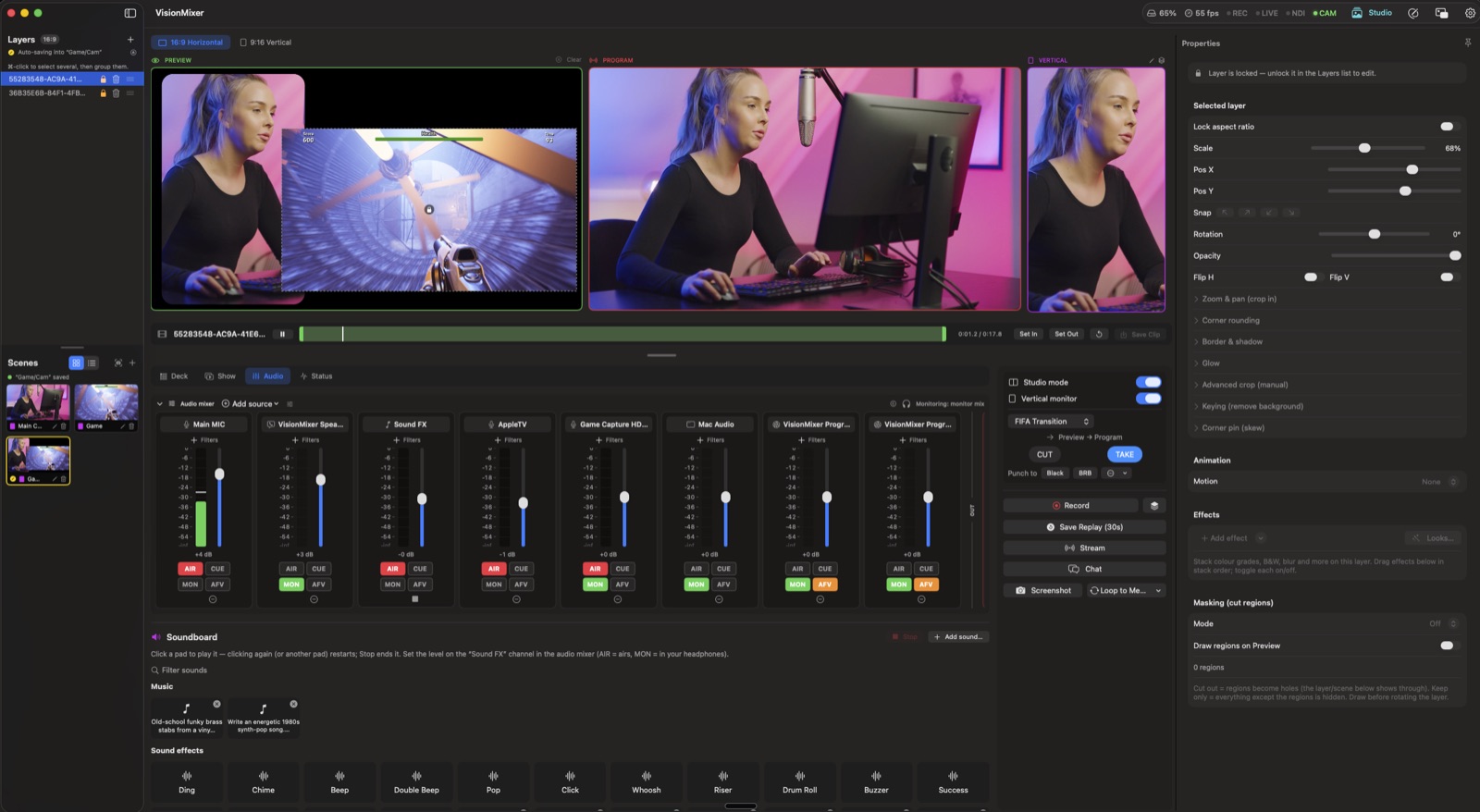
VisionMixer in studio mode running a live production: a Preview monitor, a live Program monitor and a 9:16 vertical monitor, with the Take controls.

Virtual mic & speaker

Call audio, solved — echo-free

The camera is half the story. VisionMixer also installs a virtual microphone and speaker for your call apps: the meeting hears your full produced mix — voice, video clips, music, sound effects — and everyone on the call comes back through your mixer on their own fader. Echo-free by construction, because the mix sent to the call never contains the call itself.

  • Play a video in a meeting with its sound, at last
  • The far end gets your processed mic, not your laptop's raw one
  • Per-source faders and routing, just like a broadcast desk
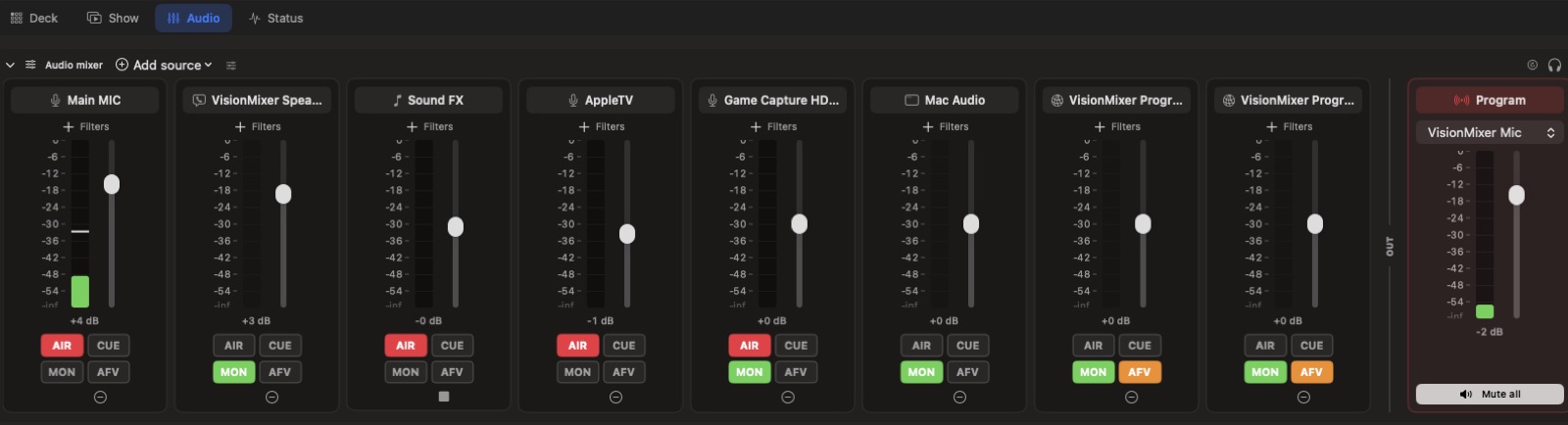
The VisionMixer audio mixer: per-source channel strips with AIR, CUE, MON and AFV routing.

Presenter tools

Point, draw and zoom on what you're sharing

When you share a screen through the virtual camera, VisionMixer's presenter tools work on top of it: draw with a pen or highlighter, drop a laser dot, spotlight a region, zoom into the detail that matters — live, while the call watches.

  • Ink, highlighter and laser pointer over any shared screen
  • Spotlight and zoom to focus attention
  • Run everything from a floating mini panel or your phone
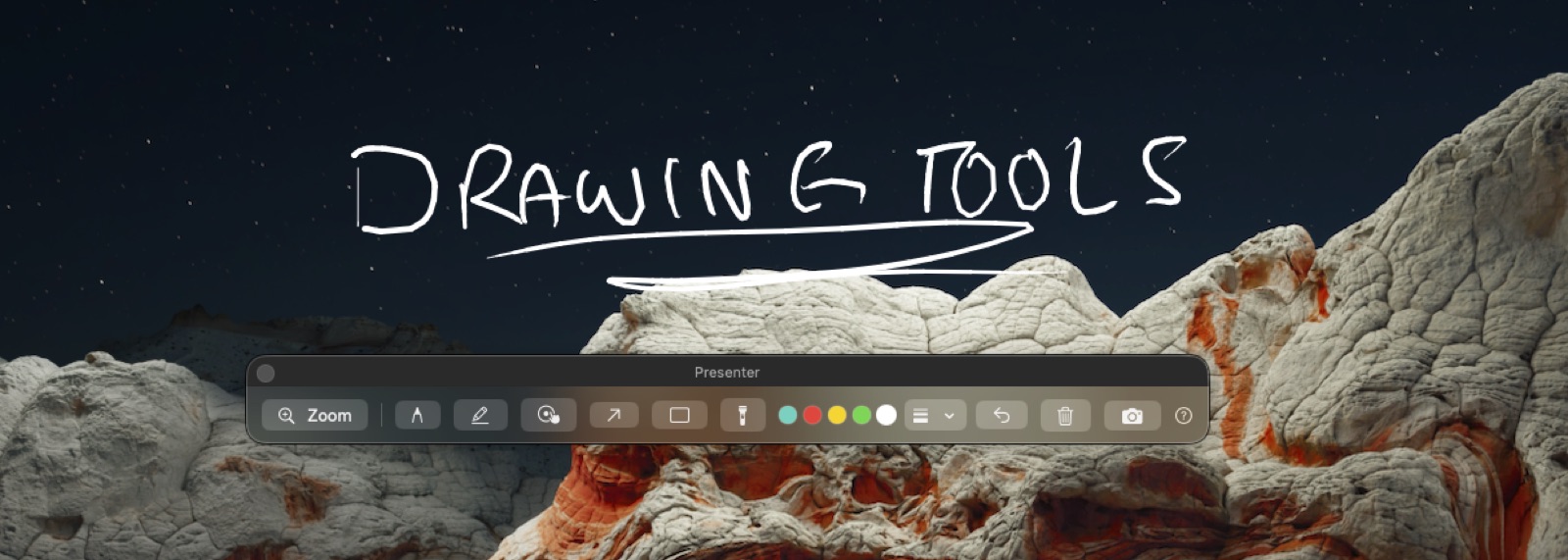
The VisionMixer presenter toolbar with a hand-drawn annotation over a shared screen.

Made for how you'll use it

Teachers & trainersTeach on camera with slides, annotations and lesson recordings. Business & teamsBranded, professional presence in every meeting and webinar. AI creationGenerate overlays, images, video and sound without leaving the app. The StudioDesign cues, graphics and custom stinger transitions.

Virtual camera questions, answered

Which apps does it work with?

Any macOS app that lets you choose a camera: Zoom, Microsoft Teams, Google Meet and Webex (browser or desktop apps), Slack, Discord and more. VisionMixer shows up in the camera list like any webcam.

How is this different from a Zoom virtual background?

A background changes what's behind you. VisionMixer replaces the whole camera feed with a produced program — multiple cameras, screen shares with you overlaid, titles, videos, live graphics — that you switch during the call. It's the difference between a wallpaper and a broadcast.

Does it do call audio too?

Yes — a virtual microphone and speaker install alongside the camera. The meeting hears your produced mix (including video sound and music), and the callers come back through your mixer without echo.

Do I need a green screen?

No. AI person segmentation cuts you out of your real background on any camera. If you do have a green screen, classic chroma key is there too, along with background blur.

What does it cost?

VisionMixer is $99 once, with a 14-day free trial (trial output carries a small watermark). No subscription is needed for the virtual camera, mixer, recording or streaming. Remote guests via Cloud Shows are an optional monthly add-on.

Will it slow my Mac down during calls?

VisionMixer is a native Mac app with GPU-accelerated compositing, and idle sources park automatically so they cost nothing until a scene uses them. It's built to run alongside your meeting app all day.

Your next call could look like a show.

Download VisionMixer and pick a better camera.

Download for macOS