Motion graphics and the transition builder
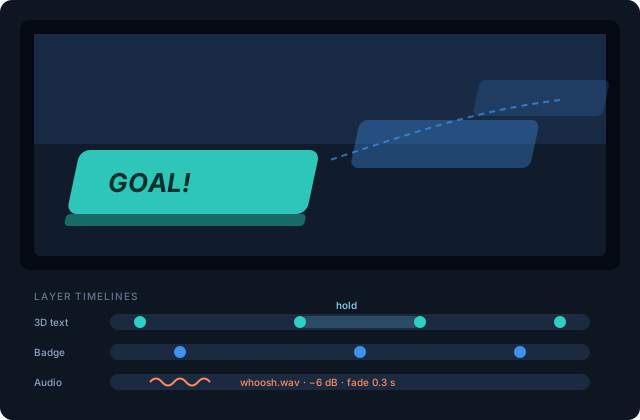
The transition builder in the Media Studio is a keyframe animation engine. A transition is a stack of layers, each with its own timeline of stages.
Stages
Each stage is a pose: position, scale, rotation, opacity — plus real 3D turn and tilt for 3D text layers. Between stages you set travel time; on each stage you can add a hold time. The = button copies the previous stage's pose so you can animate one property at a time. Movement between stages uses smooth monotone splines — no overshoot, even between extreme keyframes (30% to 4000% scale works).
Scrub the whole animation with the scrubber, or preview it end-to-end. The Total and Cut readouts show the full duration and the point where the scene switch lands.
Holds — the lower-third trick
Check Hold here on a stage (any but the last) and the transition parks at that pose until released. Fire it from a deck tile: first press animates in and parks; second press releases it to finish. That's an animated lower third with a broadcast feel, from one button.
Sound
The AUDIO section attaches sound effects to the transition — several if you like — each with a start offset, a volume relative to its soundboard level, and fade in/out times.
Using transitions
- Set one as the switcher's default transition, or
- Override per scene tile on the Show Deck, or
- Fire it over program from a deck tile (with or without a hold) as a graphic.