Switching, takes and studio mode
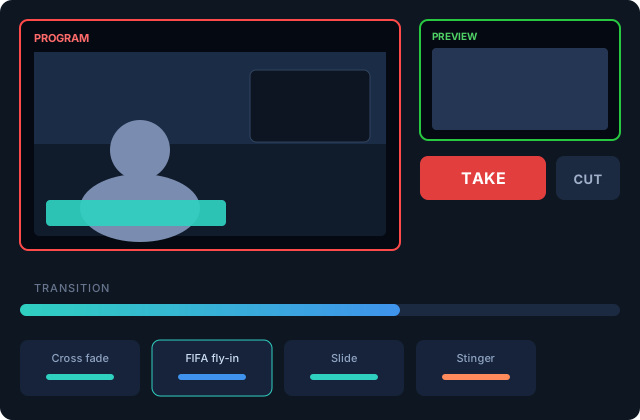
Studio mode
With studio mode on, you work like a control room: the edit canvas is your preview, the audience sees program, and TAKE moves preview to air using the selected transition. CUT is instant. The AUTO control runs the transition at its own pace.
With studio mode off, the canvas is the program — every edit is live. Fast and dangerous, exactly like a one-person show sometimes needs.
Transitions
Pick the default transition from the transition strip: cross fade, slides, or any custom transition you've built (see Motion graphics). Scenes fired from the Show Deck can override the default with their own per-tile transition.
In studio mode with the vertical canvas active, a TAKE is linked: both canvases take together, and the vertical inherits the scene's transition — one button, both outputs.
Emergencies
- Punch black — cut the program to black, now.
- BRB — cut to your configured be-right-back card.
- Both are on the control rail and available as deck tiles and hotkeys.