Streaming, recording and outputs
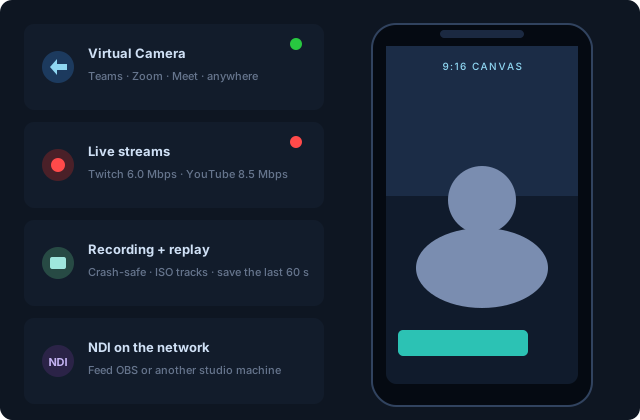
One program, many destinations — all simultaneously.
Virtual camera
The CoreMediaIO extension publishes the program as VisionMixer Camera at 1080p to every app on the Mac. Toggle it from the Status tab or a deck tile.
Recording
Crash-safe recordings (a power cut mid-show leaves a playable file), with pause/resume, saved to your recordings folder. Choose isolated tracks to also record selected audio channels as separate files for post. Program screenshots save PNGs from the rail or a deck button.
Replay
The rolling replay buffer keeps the recent past in memory; Save Replay writes it to disk — the goal you almost missed, kept.
Streaming
Add RTMP destinations (Twitch, YouTube, Kick, custom) under the Stream button. Each destination chooses its canvas — 16:9 program or the vertical canvas. Streams reconnect automatically, and the Status tab shows live bitrate, encoder fps and drops per destination. A built-in bandwidth test sizes your bitrate before you're live. Twitch accounts can sign in for title/category updates from inside the app.
NDI
Send the program to your network as VisionMixer Program and pull other NDI senders into scenes as sources.
The vertical canvas
A second 1080×1920 composition with its own scenes, rendered live alongside the main program — not a crop. Design once with embedded vertical layouts and a single TAKE lands on both. Point vertical-first destinations (TikTok, Shorts, Reels via RTMP) at it.